


Training & behavior
How to Clicker Train a Dog
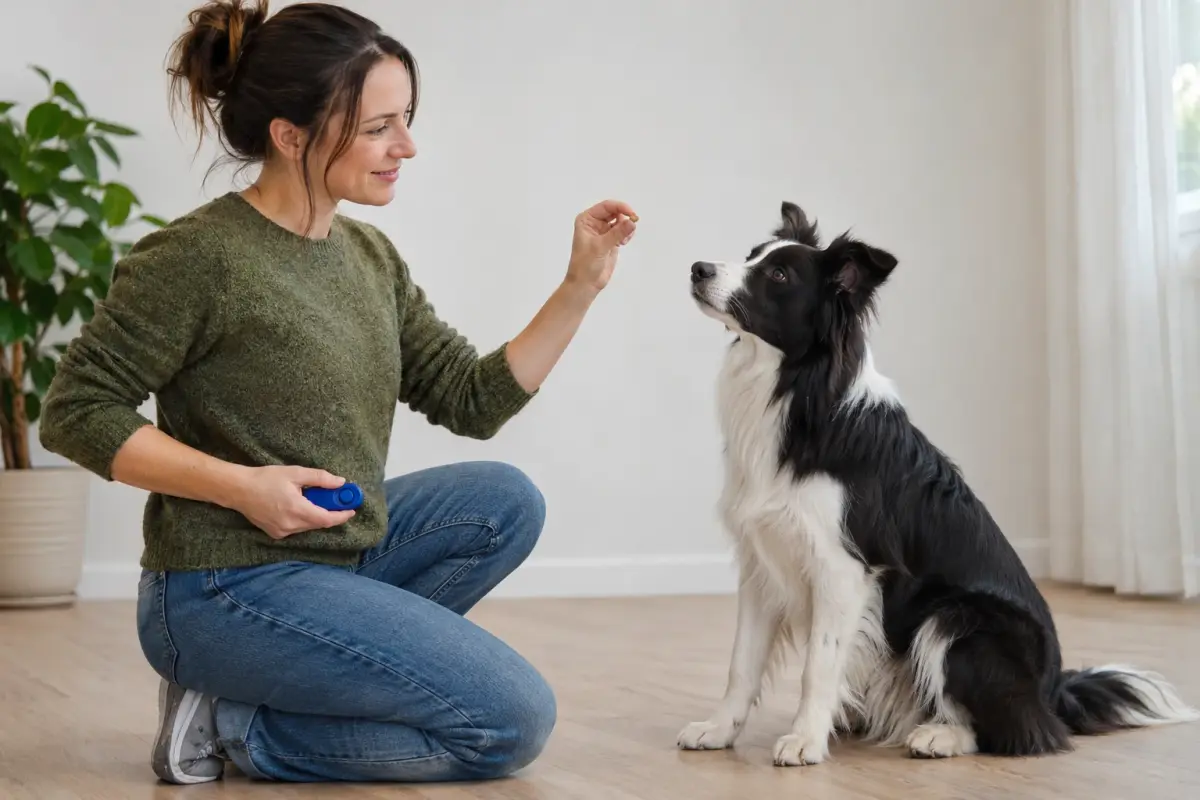
Clicker training uses a small clicking device to mark the exact instant your dog does something right, followed every time by a treat. Start by "charging" the clicker: click, then treat, 10 to 20 times until your dog perks up at the sound. Then click good behavior the moment it happens, add a cue once the behavior is reliable, and phase the clicker out once the skill is learned.
By Matt GarnettUpdated November 9, 20264 min read2 sources
How clicker training works
Timing is the hardest part of teaching a dog. By the time you reach for a treat, your dog may already have stood up from the sit you wanted to reward. A click from a dog training clicker is fast, distinct and always sounds the same, so it can pinpoint the exact moment of the right behavior. The treat then follows a second or two later.
The click works because it has been paired with food so many times that it predicts a reward. Dogs quickly learn that their actions make the click happen, and that turns training into a game they actively want to play. A short, crisp marker word such as "yes" can do the same job if you prefer to keep your hands free.
Step 1: Charge the clicker
Sit somewhere quiet with your dog, a wrist-cord training clicker and a handful of tiny, soft treats. Click once and immediately give a treat; your dog does not have to do anything yet. Repeat 10 to 20 times in a session, varying the gap between rounds so your dog is not just learning a rhythm.
You will know it has worked when your dog's head snaps toward you or the treat hand at the sound of a click. If your dog is sensitive to sound, muffle the clicker in a pocket or behind your back at first, or use a softer click or a marker word instead.
Step 2: Capture a behavior
Capturing means clicking a behavior your dog already offers. Wait with treats in a treat pouch until your dog sits on their own, and click the instant their rear touches the floor, then treat. Toss the next treat a step away so they stand, and wait for the next sit. Within a few minutes, most dogs start sitting deliberately.
Capturing is ideal for simple behaviors like sit, down, eye contact or going to a bed. Because your dog works it out, the lesson tends to stick well, and it builds a dog who tries things rather than waiting to be told.
Step 3: Shape more complex behaviors
For behaviors your dog will not offer on their own, click small steps toward the goal. To teach a nose touch, hold your open palm near your dog's face and click as soon as they sniff it, then gradually move your hand further away. For going to a mat, click a glance at the mat, then a step toward it, then a paw on it, then all four paws, then lying down.
Raise the bar a little at a time. If your dog gets stuck or frustrated, go back to an easier step for a few clicks. Keep sessions short, a few minutes at a time, and always end on a success.
Step 4: Add the cue, then fade the clicker
Only name a behavior once your dog is doing it reliably. Say the cue, such as "touch" or "place," just before your dog does the behavior, then click and treat. Over many repetitions the word becomes the signal, and you can stop clicking behaviors your dog does without the cue.
The clicker is a teaching tool for new skills. Once a behavior is well learned, you can swap the click for praise, a treat or a life reward like going outside, and save the clicker for the next new thing you want to teach. Keep giving a treat from your training snack bag after every click while you do use it, or the click loses its meaning.
Common mistakes, and when to involve your vet
The most common mistakes are clicking too late, clicking without treating, using the clicker to get your dog's attention, and trying to teach too much in one session. Keeping a clicker and treats within one hand's reach helps your timing. Click the action, not your dog's name, and keep the clicker for marking only. If your dog seems unsure, your timing or criteria probably need adjusting rather than your dog needing correction.
Clicker training suits dogs of all ages, including seniors. If your dog suddenly loses interest in food rewards, seems sore when moving, or startles badly at sounds, mention it to your vet, since appetite changes, pain and noise sensitivity can all have medical causes.
This page is general information, not veterinary advice, and it cannot replace an examination by the vet who knows your pet.
Common questions
Do I have to use a clicker forever?
No. The clicker is for teaching new behaviors. Once your dog knows a cue well, you can reward with praise, treats or play, and bring the clicker back for the next new skill.
Can I use a word instead of a clicker?
Yes. A short marker word such as "yes" works well, especially when your hands are full. It is a little less precise, so say it the same way every time.
Is clicker training good for puppies?
Yes. Puppies learn quickly with markers, and short clicker sessions are a fun way to teach sit, name recognition and calm behavior. Keep sessions to a few minutes.
What if my dog is scared of the clicker?
Some dogs are startled by the sound. Muffle it in a pocket or sleeve, use a quieter clicker, or switch to a marker word. Always follow the sound with a great treat.
Sources we checked
This guide is general information, not veterinary advice. If your pet is unwell or injured, contact your veterinarian.


