






Buying guides
Best Pet Camera Without a Subscription: How to Choose One
The best pet camera without a subscription is one that records to a microSD card or a home hub, and keeps live view, two-way audio and motion alerts free in its app. A subscription usually pays only for cloud video history and smarter alerts. Check those three things before buying, then choose the type, fixed, pan-and-tilt, treat-tossing or feeder, that suits your pet and room.
By Matt GarnettUpdated November 13, 20265 min read3 sources
What a subscription actually pays for
Most pet cameras split their features into two layers. The first layer is the camera itself: live video, night vision, two-way audio and a basic motion or sound notification. On most models this costs nothing beyond the hardware. The second layer, sold monthly, usually adds cloud storage of recorded clips, a longer video history, and smarter alerts such as telling a bark from a passing truck or flagging when your pet leaves the frame.
So the real question is whether you need recordings stored off the device. If you mainly want to check in during the day, talk to your dog, and see what happened while you were out, local storage covers it. Our pet cameras range is worth reading with that split in mind: look at each listing for how it stores video and which features its app includes without a plan.
What matters most in a subscription-free camera
Local storage comes first. A microSD slot lets the camera record continuously or on motion, and loop recording overwrites the oldest footage so the card never fills. Check the largest card the camera accepts and whether you can play clips back from the app, not only by removing the card. Some cameras also save to a home hub or network drive, which keeps footage even if the camera is chewed or stolen.
Next, check the free app features: live view, two-way audio, and push alerts on motion or sound. Then the hardware: a wide field of view so one camera covers the room, infrared night vision for evenings, and a reliable Wi-Fi connection where the camera will sit. Finally, privacy. Look for encrypted video, a way to switch the camera off from the app, and a maker that still updates its app.
Camera types compared
A fixed indoor camera is the simplest choice and suits a single room, a crate area or a cat's favorite window. A pan-and-tilt camera can sweep around a larger room from the app, which helps when a dog roams an open-plan space. A treat-tossing camera adds a dispenser you trigger from your phone; it suits dogs that respond well to a reward and owners who want to interact, not just watch.
A feeder with a built-in camera combines a timed food dispenser with a view of the bowl, which is useful for confirming that a cat actually ate on schedule. An automatic feeder with a Wi-Fi camera or a camera food dispenser bowl with a wide-angle lens does that job. Collar cameras exist for cats, but they record the cat's view rather than letting you watch your home.
The best type for each situation
For a dog that may struggle when left alone, a camera is genuinely useful. The AKC suggests audio or video footage as one of the best ways to see what really happens while you are out, and VCA's behavior specialists suggest setting up a camera before practicing short absences so you can come back if the dog shows signs of distress. A fixed camera covering the crate or resting area, with free live view and sound alerts, is enough.
For a new puppy, a pan-and-tilt camera covers a pen and the floor around it. For cats, a wide-angle fixed camera near a window perch or feeding station works well, and a feeder camera suits owners who travel overnight. Multi-pet homes usually do better with two cheap fixed cameras than one expensive one, since a single lens rarely sees every corner.
What to avoid
Avoid cameras that only work with an active plan, or that lock basic recording behind a paywall, if a no-fee setup is your goal. Read the app's feature list before buying, not the box. Avoid placing a camera where a dog can reach it or chew the cable; route power cords behind furniture or through cable covers, because chewed wires are a real hazard.
Do not lean on a treat tosser to calm an anxious dog. The ASPCA notes that dogs with separation anxiety often begin barking and showing distress within minutes of being left, and the goal of treatment is teaching the dog to tolerate being alone. A camera helps you see it; it does not fix it. If footage shows pacing, howling, escape attempts or destruction, talk to your vet, who can rule out medical causes and refer you to a behavior professional.
Setup, placement and lifespan
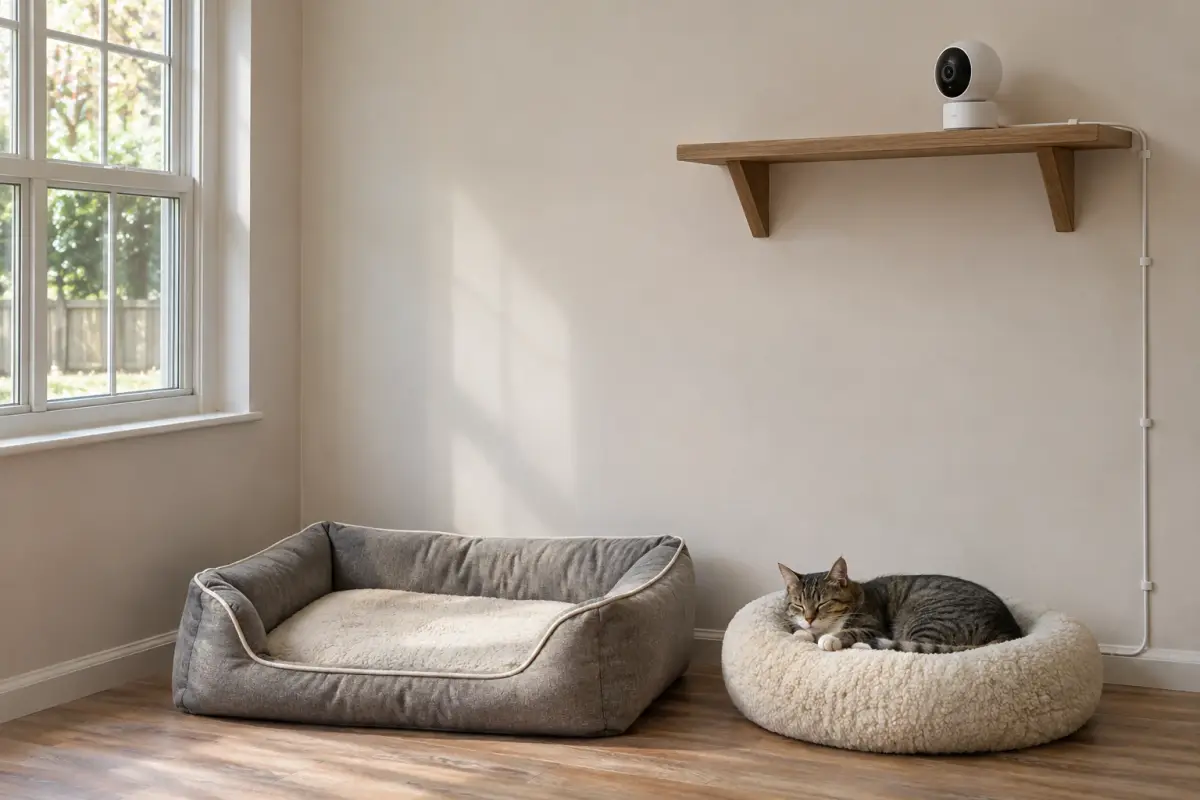
Mount or place the camera at about the height of a shelf, angled down, so it sees the floor where your pet spends time rather than the ceiling. Test the Wi-Fi signal at that spot first; a weak signal is the most common reason a camera drops its live view. Keep it out of direct sunlight, which washes out the picture, and away from a window that reflects the infrared light at night.
Replace the memory card every year or two if the camera records continuously, as cards wear out with constant writing. Keep the app and camera firmware updated. When you are ready to compare models, browse our pet cameras, and if interaction matters more than recording, our pet cameras with treat dispensers are the next place to look.
This page is general information, not veterinary advice, and it cannot replace an examination by the vet who knows your pet.
Camera viewpoints and additional mechanisms
| Type | What the camera views | Feature to verify |
|---|---|---|
| Fixed indoor | A fixed scene in a room | Field of view and recording method |
| Pan-and-tilt | A view moved through controls | Movement range and app support |
| Treat-tossing | A room view beside a dispenser | Food compatibility and dispenser controls |
| Feeder camera | The bowl and feeding area | View angle and feeder functions |
| Collar camera | The view from the worn camera | Weight,mount and recording method |
Common questions
Is there a pet camera that does not need a subscription?
Yes. Many pet cameras keep live view, two-way audio and motion alerts free, and record to a microSD card. Check the app's free features and the storage options on the listing before you buy.
Can a pet camera record without Wi-Fi?
Some cameras keep recording to a memory card when the Wi-Fi drops, then let you play back clips once the connection returns. Live viewing and phone alerts always need a working internet connection.
What is the best camera to watch my dog while I am at work?
A wide-angle fixed camera covering your dog's resting area, with free live view, sound alerts and local recording, covers most needs. Add pan-and-tilt for larger rooms or a treat dispenser for interaction.
Do pet cameras help with separation anxiety?
They help you see what happens while you are out, which is the first step. They do not treat it. If footage shows distress, speak to your vet about a behavior plan.
Is a pet camera safe to leave on all day?
Generally yes, if it sits out of your pet's reach with the cable protected from chewing. Keep the firmware updated and use a strong, unique password on the account to protect your privacy.
Sources we checked
This guide is general information, not veterinary advice. If your pet is unwell or injured, contact your veterinarian.


